.avif)
📌 Key Takeaways
Operational fragmentation reveals itself through five specific patterns: multiple logins per workflow, underused amenities, communication breakdowns, training chaos, and ignored announcements.
- The Toggle Tax Drains Teams Daily: Every system switch adds hidden time costs, increases errors, and makes tracking resident requests nearly impossible.
- Great Amenities Go Unused When Booking Breaks: Residents abandon rooftop lounges and fitness centers not from lack of interest, but because unclear availability and double-bookings create friction.
- Fragmented Channels Erode Trust on Both Sides: When updates scatter across email, text, and lobby boards, residents miss critical information while teams waste hours re-answering questions.
- Phased Rollouts Reduce Implementation Fear: Start with three high-friction workflows, pilot in one community, measure adoption, then scale with confidence.
One unified platform eliminates workflow chaos and rebuilds resident trust.
Property management teams experiencing two or more of these friction patterns will find a diagnostic framework here, preparing them for the operational assessment that follows.
It's 5:30 PM on a Thursday.
A resident is tapping their phone, trying to book the rooftop grill for a family dinner this weekend. The screen spins. Times out. They try the browser portal. It's down for maintenance—again. They give up, annoyed, and book a restaurant instead.
You've invested in premium amenities, hired a great team, and renovated your spaces. But if residents can't easily access what you offer, the experience breaks down. When your management team juggles multiple logins, spreadsheets, and disconnected tools just to handle everyday requests, that friction doesn't stay behind the scenes—it shows up in reviews, renewal rates, and staff burnout.
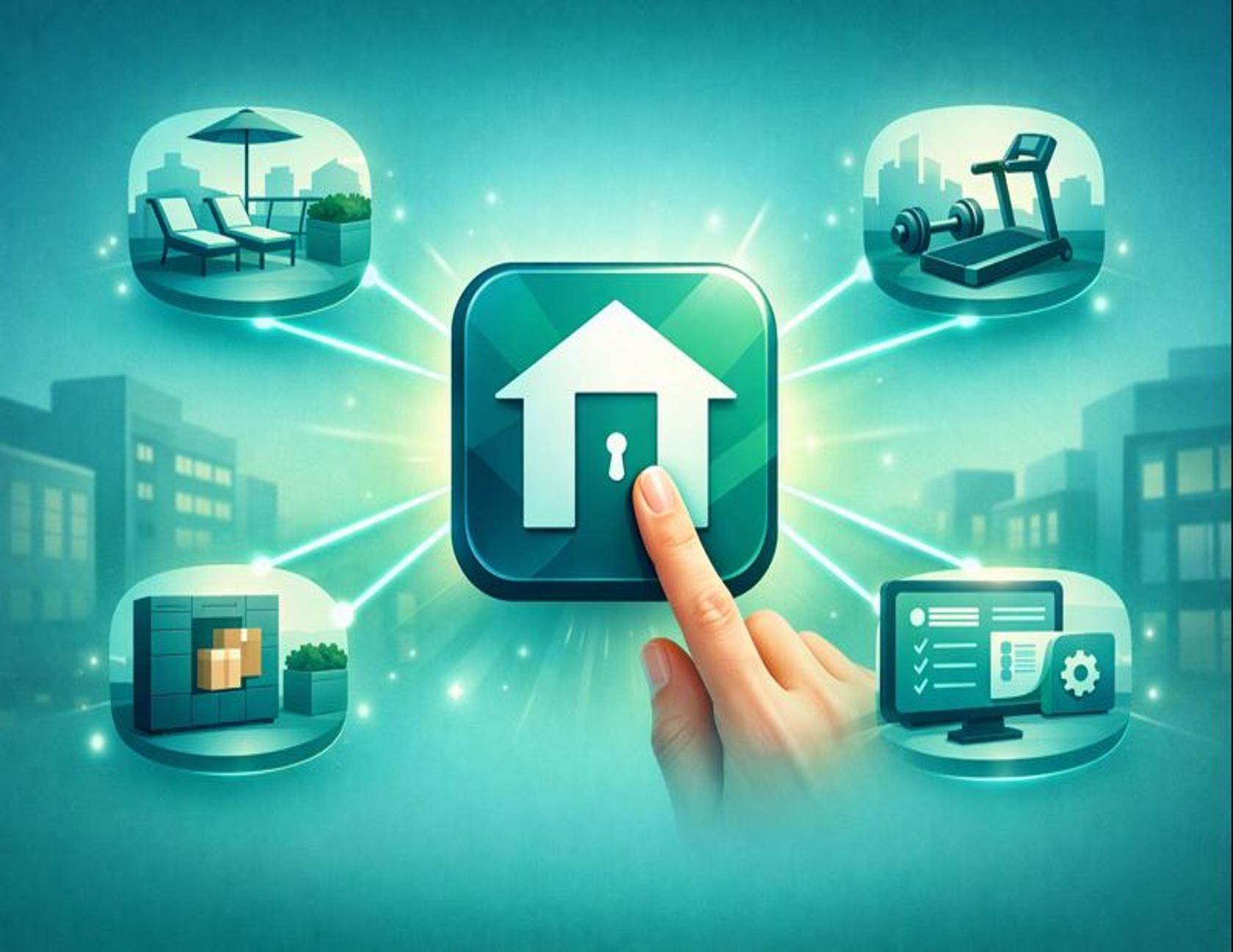
A custom community app is a single, branded interface that consolidates the resident experience. It replaces the patchwork of portals with one unified platform where residents can book amenities, submit requests, pay rent, and stay informed. For your team, it means fewer logins, clearer workflows, and more time to focus on what actually builds community.
Here are five clear signs it's time to make the shift.
What "Custom Community App" Means (In Plain English)
A custom community app consolidates core resident workflows into one branded interface. Think of it as "one front door" for your property—instead of asking residents to navigate multiple browser portals, remember different passwords, or download several third-party apps for amenities, packages, and maintenance, you give them one mobile-friendly experience.
It's a resident app designed specifically for your property, white-labeled with your branding and integrated directly with your existing property management system—whether that's Yardi, Entrata, or another platform you already use.
Everything residents need—amenity reservations, service requests, community announcements, concierge services—lives in one place.
For property management teams, it means operational clarity. One dashboard replaces the toggle between email, spreadsheets, and separate vendor tools. The result is faster response times, fewer missed requests, and a more consistent experience for everyone in the building.
The 2-Minute Friction Audit
Before diving into the five signs, take this quick diagnostic. Answer yes or no to each question:
- Do residents use more than one tool to handle basics like requests, bookings, and updates?
- Does your team manually reconcile amenity schedules or handle double-booking conflicts?
- Are resident updates split across email, printed notices, and ad-hoc text chains?
- Do you lose time onboarding new staff because processes live in people's heads instead of documented workflows?
- Do reviews or complaints mention slow responses, unclear updates, or "no one got back to me"?
Your score:
- 0–1 Yes: You may be fine today; watch for growth friction as you scale.
- 2–3 Yes: You're paying a "friction tax." Map your workflows and start consolidating.
- 4–5 Yes: Treat consolidation as an operational priority. You're at burnout risk.
If you checked two or more boxes, the rest of this article will show you exactly what's causing the problem—and what changes when you fix it.
For ongoing operational playbooks and resident experience strategies delivered to your inbox, subscribe to the ElevateOS newsletter.
The Fragmentation Cycle
Before we dive into the five signs, picture this common pattern:
Email → Phone call → Spreadsheet → Missed update → More email
This cycle repeats daily in properties relying on disconnected systems. Each loop adds time, increases errors, and erodes trust. The five signs below show you exactly where this cycle breaks down—and what happens when you replace it with a unified workflow.
The 5 Signs Your Team Has Outgrown Portals and Patchwork Tools
- Your team uses 3+ logins to manage one resident journey
- Amenities are underused or create conflict because booking is hard
- Reviews and complaints point to "communication" breakdowns
- Staff turnover makes training and consistency impossible
- Residents ignore emails and announcements because engagement is fragmented

Sign 1: Your Team Uses 3+ Logins to Manage One Resident Journey
What it looks like: Your leasing manager logs into the property management system to pull a resident's contact info. Then they open a separate amenity booking tool to check the clubhouse calendar. Then they switch to email to confirm the reservation and copy-paste details into a shared spreadsheet so maintenance knows to set up tables.
One simple request just required three different platforms and four manual steps.
Why it matters: Every system toggle adds what we call a "toggle tax"—hidden time costs that accumulate throughout the day. Each switch increases the chance of error and makes it harder to track what actually happened. When a request falls through the cracks, it's not because your team isn't trying—it's because the infrastructure is working against them.
Try this audit: Map out one common workflow (like amenity booking or maintenance requests) and count how many tools are involved. Document every login and handoff. That visibility alone often makes the case for change.
What a custom app changes: A unified property manager software platform pulls resident data, amenity calendars, and communication tools into one interface. Your team handles the entire request without switching screens, and every action is logged automatically for follow-up.
Sign 2: Amenities Are Underused or Create Conflict Because Booking Is Hard
What it looks like: You've built a beautiful rooftop lounge, added a state-of-the-art fitness center, and renovated the clubhouse. Usage is low. When residents do try to book, they run into issues: unclear availability, double-bookings, or no confirmation that their reservation went through.
You want to hear: "Booking amenities like the gym or rooftop deck is a breeze." But right now, residents are likely saying: "I gave up because the link didn't work." Great amenities go unused when the process is broken.
Why it matters: Amenities are a major draw for Class A properties. When residents can't easily access them, the value proposition weakens. Worse, scheduling conflicts and unclear rules create frustration that shows up in reviews and renewal conversations.
Quick fix this week: Test your own amenity booking process as if you were a resident. How many clicks does it take? Is availability clear? Do you get a confirmation? If the answer to any of these is "no," you've found your friction point.
What a custom app changes: Amenity management software built into your resident app shows real-time availability, instant confirmations, and automated reminders. Residents book in seconds. Your team avoids conflicts and gets visibility into usage patterns to inform future planning. For a deeper look at turning underused spaces into community hubs, see our guide on multifamily amenity management.
Sign 3: Reviews and Complaints Point to "Communication" Breakdowns
What it looks like: Your online reviews mention "slow responses," "I never heard back," or "no one told me about the water shutoff." Meanwhile, your team insists they sent the email, posted the notice, and left a voicemail. Both sides are right—the message went out, but it didn't land.
Why it matters: When communication is fragmented across email, printed notices, text chains, and verbal updates, critical information gets lost. Residents miss important announcements. Your team wastes time re-answering the same questions. Trust erodes on both sides.
Research from the National Multifamily Housing Council confirms that technology fragmentation directly impacts resident satisfaction scores. Properties using multiple disconnected communication channels report higher complaint rates and lower renewal intentions.
Action item: Audit your last three community-wide announcements. How were they sent? Email only? Posted in the lobby? Texted to a partial list? If the answer is "a mix," you're relying on residents to check multiple channels—and that's the problem.
What a custom app changes: Push notifications through a multifamily property management software platform reach residents instantly on the device they already check throughout the day. You send one message. It goes to everyone. Delivery is confirmed. No guessing, no missed updates. For insight into why residents stop engaging with scattered communications, see the hidden cost of app fatigue.
Sign 4: Staff Turnover Makes Training and Consistency Impossible
What it looks like: A new team member starts. The training process is chaotic—shadowing a veteran staff member, watching them navigate a series of disconnected tools, and trying to remember which login goes where. By the time they're comfortable, another team member leaves, and the cycle repeats.
Institutional knowledge lives in people's heads, not systems. When someone quits, what we call "tribal knowledge" walks out the door with them, and processes break.
Why it matters: High turnover is already expensive. When your operational knowledge isn't documented or built into your tools, every departure sets you back. New hires take longer to ramp up. Mistakes happen more often. Residents notice the inconsistency.
To spot the gaps, ask your newest team member what part of their training felt confusing or overwhelming. Their fresh perspective will reveal which processes are unnecessarily complicated. Write down the answer.
What a custom app changes: A unified platform standardizes workflows. New hires learn one system, not five. Automated prompts and task lists guide them through common requests. Training time drops. Consistency improves—even as your team evolves. For a step-by-step approach to rolling out new systems without overwhelming your team, see our guide on seamless resident app implementation.
Sign 5: Residents Ignore Emails and Announcements Because Engagement Is Fragmented
What it looks like: You send an email about a community event. A handful of people open it. You post a flyer in the elevator. A few more see it. You try a text message for urgent updates, but response rates often lag. This phenomenon, frequently described as "app fatigue" or "channel saturation," suggests that residents aren't necessarily ignoring you—they are filtering out noise across competing platforms. Consolidating these streams generally improves visibility.
Why it matters: When residents stop engaging with your communications, community-building efforts fail. Event attendance drops. Important updates about maintenance or policy changes go unnoticed. You're working harder to reach people, but the message isn't breaking through because the medium itself has become part of the problem.
Start here: Review your last five communications. Count how many different channels you used (email, text, app notification, printed notice, lobby board). If you're using more than two for routine updates, you're fragmenting attention.
What a custom app changes: A single, branded app becomes the default place residents check for updates, events, and services. You're not competing with inbox clutter or hoping they walk past the lobby board. Engagement improves because the experience is simple, consistent, and convenient.
If You Checked 2+ Signs, Here's the Next Step
If you recognized your property in two or more of these signs, consolidation isn't just a nice-to-have—it's operational infrastructure you need to build now. But that doesn't mean ripping out every system overnight or launching a six-month implementation project.
Start small and strategic:

1. Pick three workflows to unify first. Focus on the highest-friction areas: amenity bookings, maintenance requests, and resident communications. These are the workflows that touch every resident and generate the most manual work for your team.
2. Confirm your PMS integration needs. Your custom app should work with your existing property management system—Yardi, Entrata, or whichever platform you already use. Integration ensures resident data, lease information, and payment processing stay in sync without duplicate entry.
3. Pilot in one community, measure adoption, then roll out. Choose one property to test the platform. Track qualitative feedback from both residents and staff. Look for signs of adoption: How quickly did residents download the app? Are amenity bookings increasing? Is your team spending less time on manual coordination?
Phased rollouts reduce resistance because teams learn in a controlled environment and improvements can be made before scaling. A successful pilot gives you the proof you need to expand with confidence—and outcomes vary by community culture, rollout discipline, and how well the platform fits existing workflows.
The fear of implementation is real—no one wants to disrupt operations or ask an already-overwhelmed team to learn new tools. But the consolidation process is designed to reduce complexity, not add to it.
Reduce Burnout With a Digital Resident Concierge
If operational fragmentation is the problem, a custom community app is the structural solution. But the experience layer—what residents actually interact with—matters just as much as the backend efficiency.
A digital concierge approach goes beyond consolidating tools. It transforms the app into a service hub where residents can book housekeeping, schedule pet care, reserve fitness classes, and access lifestyle services—all without leaving the platform. This is where technology meets hospitality, and where resident retention truly happens.
Your building isn't just a place people live. It's a community, a marketplace, and—when the experience is right—a competitive advantage that keeps residents renewing year after year.
Ready to see what consolidation looks like in your workflow? Schedule a demo and walk through a real implementation map tailored to your property.
Disclaimer: This article provides general information about operational best practices for property management teams. Specific implementation strategies and technology solutions should be evaluated based on your property's unique needs, existing infrastructure, and resident population. All technology solutions must provide equal access to services, amenities, and communications for all residents in compliance with fair housing laws, including appropriate accommodations for residents who may require alternative access methods. For tailored guidance, consult with a qualified property technology provider.
By: The ElevateOS Insights Team
The ElevateOS Insights Team is our dedicated engine for synthesizing complex topics into clear, helpful guides. While our content is thoroughly reviewed for clarity and accuracy, it is for informational purposes and should not replace professional advice.
Disclaimer: This article is for informational purposes only and should not replace professional advice. Property owners and developers should evaluate their specific operational needs and consult with qualified professionals when selecting resident engagement platforms.