

Integrations · Unit Locks
ElevateOS + dormakaba
Livedormakaba mobile keys in the resident app, provisioned from the PMS and revoked on move-out.
Swiss access and lock manufacturer with roots back to 1862, known in multifamily and hospitality for the Saflok, Oracode, Quantum and Confidant lock families and the Community and Ambiance platforms.
In the app
What dormakaba does inside ElevateOS
Resident sync
Residents and units sync from the PMS, so dormakaba access follows move-ins and move-outs.
Mobile keys
Residents open dormakaba unit doors from the branded app.
Credentials from the PMS
Credentials are provisioned from the PMS, so every key matches who lives where.
Instant revoke
Move-out revokes the key right away.
How it connects
No reprogramming. No fob encoder at the desk.
ElevateOS connects to dormakaba through its supported interface, so the locks on your doors stay where they are. Resident records sync from the PMS, the key lands on the phone at move-in and the key is gone at move-out. Staff stop cutting fobs and chasing spreadsheets.
Visit the dormakaba website ↗- 1
The lease is signed in your PMS.
- 2
ElevateOS provisions the dormakaba credential for the right unit and common doors.
- 3
The resident opens the door from the branded app. Move-out revokes the key automatically.
In use
dormakaba at WoodBrook at Randolph
WoodBrook at Randolph in Randolph, New Jersey runs dormakaba through ElevateOS.
Supported devices
19 dormakaba devices, searchable
Showing 12 of 19 devices
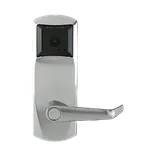
Smart lock
790
Model IDs: 7901022KF30-626, F79-10K02-6060N-606, 790-625
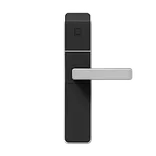
Smart lock
Confidant
Model IDs: Confidant-626-S, Confidant-626-L
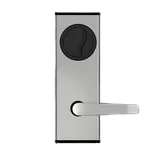
Smart lock
MT RFID
Model IDs: MT-RFID-BC, MT-RFID-SB
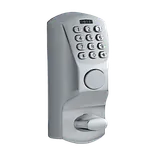
Smart lock
Oracode 460K
Model IDs: Oracode460K-U26, Oracode460K-U13
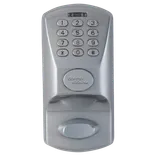
Smart lock
Oracode 480i Keyless Lock
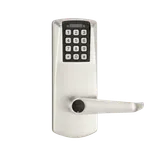
Smart lock
Oracode 660i Cylindrical
Model IDs: 661-W-50-2-1-K-F-1-0-U26-H, 661-W-50-2-1-K-F-1-0-U06-H, 661-W-50-2-1-K-F-1-0-U13-H
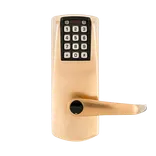
Smart lock
Oracode 660i Electronic Keyless Lock
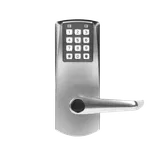
Smart lock
Oracode 660K
Model IDs: 660-10-2-1-K-F-1-0-U26-H, 660-10-2-1-K-F-1-0-U06-H, 660-10-2-1-K-F-1-0-U13-H
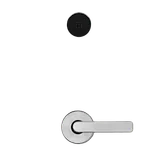
Smart lock
Quantum Pixel+
Model IDs: QuantumPixelPlus-SC, QuantumPixelPlus-BC
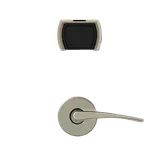
Smart lock
QuantumIV
Model IDs: QuantumIV-SB, QuantumIV-SN, QuantumIV-BLK
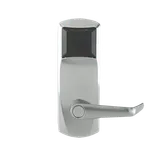
Smart lock
RT Plus Lock
Model IDs: 790-BLE-Ready-SC, 790-BLE-Ready-SB, 790-BLE-Ready-MB
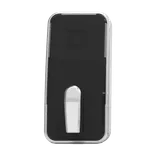
Smart lock
Saffire LX-D
Model IDs: LX-D-B
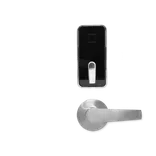
Smart lock
Saffire LX-I
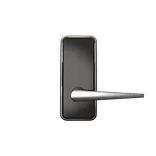
Smart lock
Saffire LX-L
Model IDs: LX-L
Smart lock
Saffire LX-M
Model IDs: LX-M
Smart lock
Saffire LX-P
Model IDs: LX-P
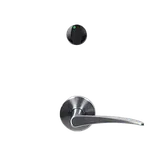
Smart lock
Saflok Quantum Pixel
Model IDs: PK3693-T
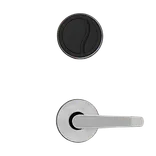
Smart lock
Saflok Quantum RFID
Model IDs: Quantum-RFID-BC, Quantum-RFID-BB, Quantum-RFID-B
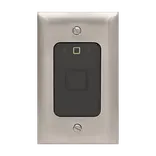
Smart lock
Saflok SR3
Model IDs: CSR1-RC023NNE00NNNN
Supported functions vary by device, configuration and integration. ElevateOS confirms the model and setup for your building before activation.
Property management
Provisioned from a PMS or ElevateOS CRM
ElevateOS provisions dormakaba from 7 PMS platforms, or from ElevateOS CRM when the community runs without a PMS. Either way, one system stays the source of truth for who lives where.
No PMS? ElevateOS CRM runs standalone as the community's own resident CRM. HOAs, condos and strata often run it this way.
FAQ
dormakaba, answered.
Does ElevateOS work with dormakaba?
Yes. dormakaba is a Live ElevateOS integration in the unit locks catalog.
What can residents do with dormakaba in ElevateOS?
ElevateOS supports mobile keys, credentials provisioned from the PMS, instant revoke.
Which property management systems work with dormakaba in ElevateOS?
ElevateOS provisions dormakaba from Yardi, Entrata, RealPage, ResMan, AppFolio and Rent Manager, with MRI on request. Communities without a PMS run ElevateOS CRM instead.
Does ElevateOS replace the dormakaba app?
Yes, for residents. ElevateOS brings dormakaba into your branded resident app, so residents use one app instead of two.
What happens to dormakaba access at move-out?
ElevateOS revokes dormakaba access as soon as the move-out posts in the PMS.
What if my dormakaba system is older?
ElevateOS engineers review the model and the building. If it needs work, ElevateOS builds it.
Does dormakaba hardware need to be replaced or reprogrammed?
No. ElevateOS connects to dormakaba through its supported interface, so the hardware stays where it is.
Which dormakaba models does ElevateOS support?
ElevateOS supports 19 dormakaba devices, listed on this page with their model IDs. Supported functions vary by device and configuration, and ElevateOS confirms the model and setup before activation.
Book a demo
See your building run on one app.
Thirty minutes. Your PMS, your hardware, your branding on the screen. See what gets consolidated, what gets connected and what starts paying you back.