.avif)
Multifamily Operations
Multifamily Resident Knowledge Base: How Apartment Communities Reduce Repetitive Questions and Improve Self-Service
A multifamily resident knowledge base gives apartment residents one reliable place to find property information, policies, instructions, amenity details, move-in resources, maintenance guidance, community updates, and answers to common questions.
For property teams, the benefit is equally important.
Instead of repeatedly answering questions such as “How do I reserve the rooftop?”, “Where do I submit a maintenance request?”, “What are the move-in rules?”, or “When can guests use the pool?”, onsite staff can make frequently requested information available through a structured digital resource.
The goal is not to eliminate human support.
It is to make routine information easier to find so staff can spend more time helping residents with situations that actually require personal attention.
Quick Answer: What Is a Multifamily Resident Knowledge Base?
A multifamily resident knowledge base is a centralized digital library of information that helps apartment residents find answers about their community without needing to contact property staff for every routine question.
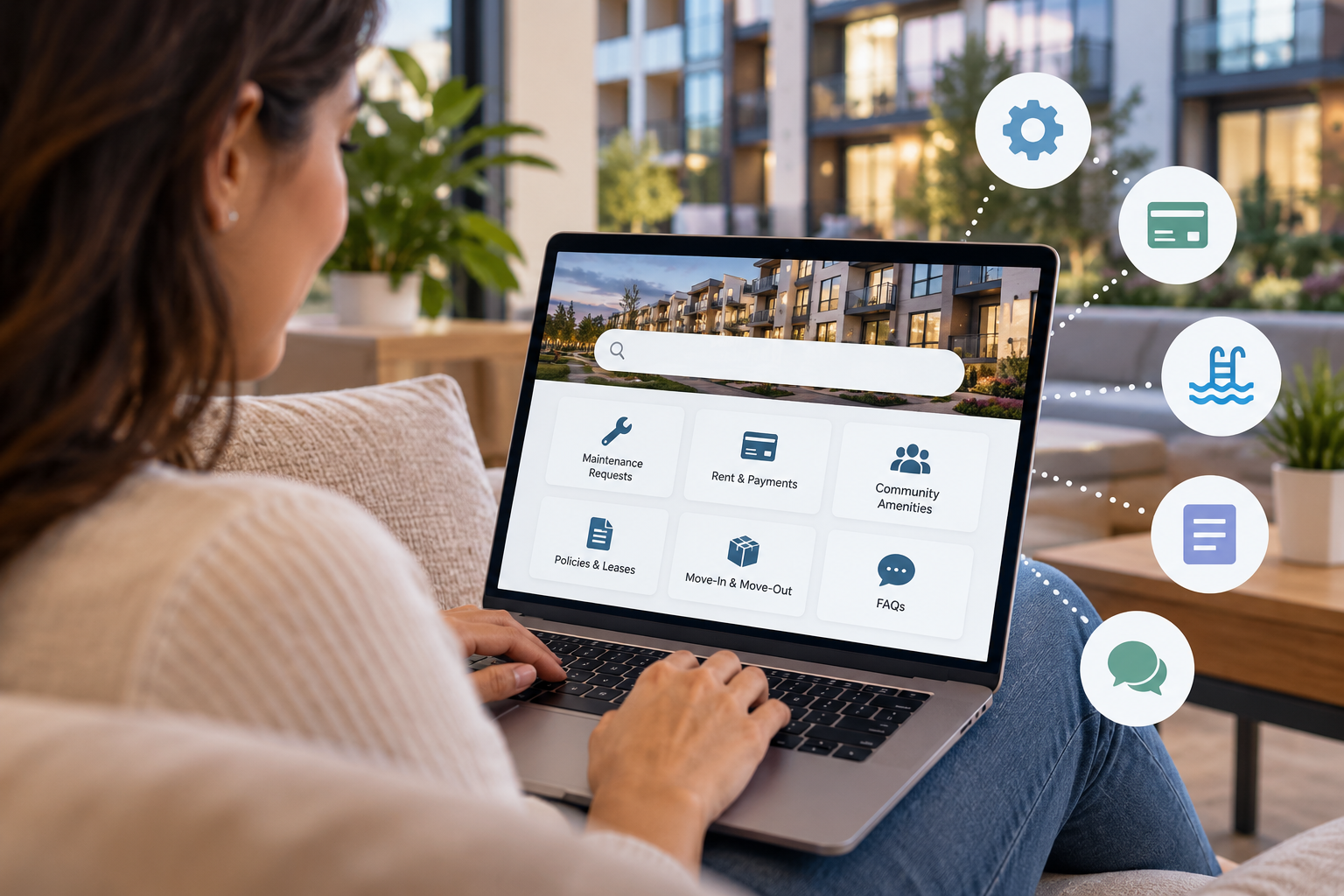
It may include information about amenities, maintenance, packages, parking, access, guest policies, move-in procedures, building rules, resident services, events, emergency resources, community contacts, and frequently asked questions.
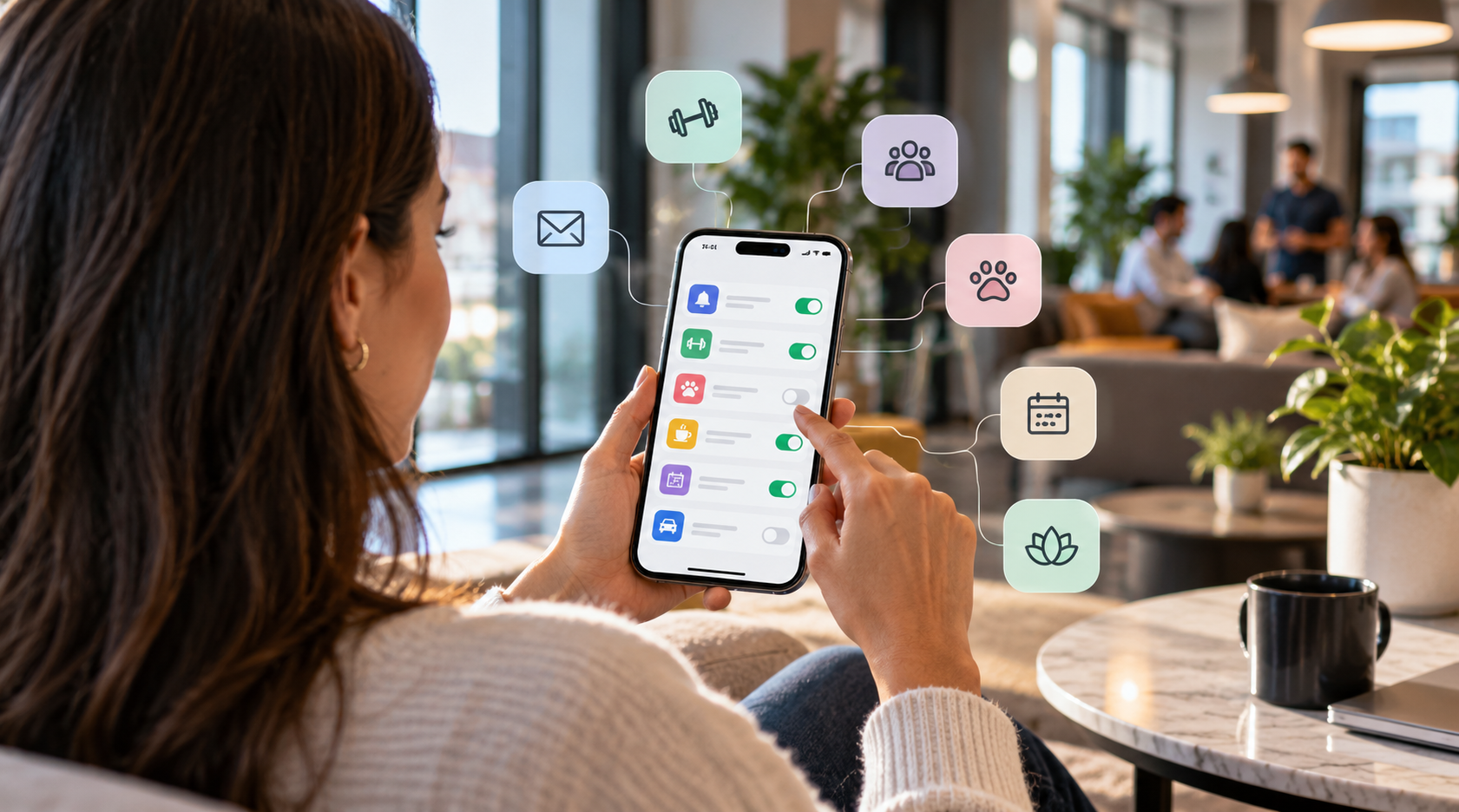
When connected to a resident app or broader resident experience platform, a knowledge base can become part of the resident's everyday digital experience rather than another separate portal to remember.
In This Guide
- Why resident knowledge bases matter
- Common questions residents ask
- What a resident knowledge base should include
- Knowledge base vs. resident portal
- How knowledge bases reduce office interruptions
- How self-service affects resident experience
- How to build a resident knowledge base
- What multifamily teams should measure
- Frequently asked questions
Why Does a Resident Knowledge Base Matter in Multifamily Property Management?
Apartment communities generate an enormous amount of resident information.
Residents need to understand:
- How to submit requests
- How amenities work
- Where packages are delivered
- How guests enter the property
- When community spaces are available
- What building policies apply
- How move-in and move-out procedures work
- Who to contact for different situations
- Where important forms and documents are located
The problem is often not that the information does not exist.
The problem is that the information is scattered.
Some details may appear in a welcome email. Others are stored in a resident portal. Certain policies may exist inside a PDF. Amenity instructions may be posted near the amenity itself. Staff may answer other questions verbally.
When residents cannot quickly find an answer, they contact the property team.
One question may take only a minute to answer. Repeated across hundreds of residents and dozens of common questions, however, those interruptions create meaningful operational work.
A resident knowledge base helps turn scattered information into an organized self-service resource.
Create a More Connected Resident Experience
ElevateOS helps multifamily communities connect resident communication, resources, amenities, services, requests, events, and everyday property interactions through one branded digital experience.
Explore the Resident Experience Platform | Explore the Resident App
What Questions Should Apartment Residents Be Able to Answer Themselves?
A useful knowledge base begins with the questions residents already ask.
Property teams do not need to guess what content belongs in the system. Front desk conversations, resident emails, support requests, move-in questions, maintenance inquiries, and community feedback can reveal the topics that create the most repetitive work.
Move-In Questions
- Where should the moving truck park?
- How do I reserve the service elevator?
- When can movers enter the building?
- How do I receive my access credentials?
- Where should I pick up keys?
- What documents do I need to complete?
- How do I connect utilities?
Amenity Questions
- How do I reserve an amenity?
- What are the amenity hours?
- Can guests use the amenity?
- Are there reservation limits?
- What happens if I need to cancel?
- Are food or beverages permitted?
Maintenance Questions
- How do I submit a maintenance request?
- What qualifies as an emergency?
- Can maintenance enter while I am away?
- How do I check the status of a request?
- Who should I contact after hours?
Package Questions
- Where are packages delivered?
- How will I know when a package arrives?
- What happens with oversized deliveries?
- How long can a package remain in storage?
Access and Guest Questions
- How do I let a guest into the building?
- What should I do if my access credential stops working?
- How do delivery drivers enter?
- Can residents issue temporary guest access?
Each question that can be answered clearly through self-service removes unnecessary friction for both the resident and the property team.
What Should a Multifamily Resident Knowledge Base Include?
The strongest resident knowledge bases cover the entire resident journey rather than functioning as a simple FAQ page.
1. Move-In and Onboarding Information
Provide new residents with one place to understand what happens before, during, and immediately after move-in.
Useful content may include:
- Move-in checklists
- Elevator reservations
- Moving hours
- Insurance requirements
- Utility instructions
- Building access instructions
- Parking information
- Package procedures
- Important community contacts
2. Amenity Information
Residents should be able to understand not just which amenities exist, but how to use them.
Information can include:
- Amenity descriptions
- Hours
- Reservation rules
- Guest policies
- Capacity limits
- Cancellations
- Fees or deposits
- Community rules
3. Maintenance Resources
Residents should immediately know how to report a problem and what happens next.
A maintenance section may explain:
- How to submit a request
- Emergency vs. non-emergency issues
- Expected communication
- Permission-to-enter procedures
- After-hours support
- Request status information
4. Package and Delivery Information
Package processes create frequent resident questions, particularly in larger communities.
A knowledge base can explain:
- Delivery locations
- Package notifications
- Locker instructions
- Oversized delivery procedures
- Food delivery access
- Package pickup requirements
5. Building Access Information
Give residents clear guidance for normal access situations without forcing them to contact staff.
This may include:
- Mobile access instructions
- Guest access
- Delivery access
- Lost credential procedures
- Parking garage access
- Amenity access
6. Resident Services
Communities offering lifestyle or concierge services should explain what is available and how residents can participate.
Examples may include:
- Housekeeping
- Pet services
- Fitness classes
- Personal training
- Dry cleaning
- Concierge services
- Local partnerships
- Moving assistance
7. Community Policies
Frequently referenced policies should be easy to locate instead of buried in a large document.
Common topics include:
- Guest policies
- Pet policies
- Parking rules
- Noise guidelines
- Common-area expectations
- Smoking policies
- Move-in and move-out procedures
8. Emergency and Important Contact Information
Residents should know where to find important contact information before they need it.
The knowledge base can make property contacts, after-hours procedures, emergency guidance, and other appropriate community resources easier to locate.
Resident Knowledge Base vs. Resident Portal: What's the Difference?
The terms can overlap, but they serve different purposes.
| Feature | Resident Knowledge Base | Traditional Resident Portal |
|---|---|---|
| Primary purpose | Help residents find information and answers | Complete property transactions and account tasks |
| Common content | FAQs, policies, instructions, guides and community resources | Payments, lease information and maintenance forms |
| Resident goal | Understand what to do | Complete a specific transaction |
| Staff benefit | Reduces repetitive questions | Digitizes administrative processes |
| Best experience | Both capabilities connected through one resident experience | |
A resident may need both information and an action.
For example, someone asking how to reserve the rooftop needs to understand the rules and then needs a way to make the reservation.
A connected digital experience can provide the instructions and the reservation workflow in the same place.
This is one advantage of moving beyond isolated portals toward a broader resident experience platform.
How Does a Resident Knowledge Base Reduce Office Interruptions?
Multifamily teams receive many questions that are important to residents but highly repetitive for staff.
Consider a 300-unit community where residents regularly ask about:
- Pool hours
- Guest parking
- Package pickup
- Maintenance requests
- Fitness center access
- Elevator reservations
- Pet policies
- Move-in procedures
If the answer requires residents to call, email, visit the office, or search through old messages, the property team becomes the search engine for the community.
A knowledge base changes the workflow.
Instead of:
Resident question → staff interruption → staff searches for information → staff replies
The workflow becomes:
Resident question → searchable community resource → immediate answer
Staff remain available when the resident cannot solve the problem independently, but routine information no longer needs to begin with an employee.
This supports the same operating model as self-service multifamily operations: automate and simplify predictable interactions while preserving human support for higher-value situations.
Give Residents One Branded Place to Find What They Need
ElevateOS gives apartment communities a mobile-first resident experience for communication, community information, amenities, requests, services, events, documents, and everyday property interactions.
How Does Better Self-Service Improve the Resident Experience?
Self-service should not be viewed only as an operational efficiency strategy.
It can also improve the resident experience.
Residents Get Answers Faster
A resident who needs amenity information at 9:00 PM should not necessarily need to wait until the management office opens the next morning.
If the information is already available digitally, the resident can solve the problem immediately.
Residents Know Where to Look
A consistent destination reduces uncertainty.
Instead of remembering whether a particular piece of information was sent through email, posted in the lobby, stored in a portal, or explained during move-in, residents know where community information lives.
Instructions Become More Consistent
When several employees answer the same question independently, residents may receive slightly different explanations.
A central resource gives the team one approved version of the information.
Residents Can Complete Tasks With Less Effort
The most effective knowledge experiences connect information directly to action.
A resident reading about the fitness center should be able to access relevant reservations or programming.
A resident reading about maintenance should be able to start a maintenance request.
A resident reviewing an event should be able to RSVP.
Information becomes significantly more useful when the next step is obvious.
Static Resident Handbook vs. Digital Knowledge Base
Many communities already provide a resident handbook.
A handbook can be valuable, but a long PDF and an interactive resident knowledge base solve different problems.
| Traditional Handbook | Digital Resident Knowledge Base |
|---|---|
| Often designed to be read sequentially | Designed around specific resident questions |
| Residents may need to search a long document | Information can be organized into focused topics |
| Updates may require redistributing the document | Information can be updated centrally |
| Mostly informational | Can connect information to resident actions |
| Often accessed infrequently | Can become part of the everyday resident experience |
The two approaches do not need to compete.
Formal documents can still be stored when necessary while commonly needed information is presented in a format that is easier for residents to navigate.
How Can a Resident App Support a Multifamily Knowledge Base?
A resident knowledge base becomes more useful when it is available where residents already manage apartment life.
A connected resident app can provide access to:
- Community information
- Resident documents
- Property announcements
- Amenities
- Maintenance requests
- Events
- Resident services
- Packages
- Access information
- Community resources
This avoids creating another standalone system for residents to remember.
The knowledge layer becomes part of the same experience residents use to take action.
How Does a Resident Knowledge Base Help Multifamily Staff?
The resident-facing value is easy to see, but knowledge management also improves internal operations.
Fewer Repetitive Questions
Staff can direct residents toward a consistent source instead of rewriting the same explanation throughout the week.
Faster Staff Onboarding
New employees also benefit from clearly organized property information.
Instead of learning every answer through informal conversations, employees have a reference for common resident-facing policies and workflows.
More Consistent Answers
Centralized information reduces the chance that different employees provide conflicting guidance.
Easier Portfolio Standardization
Operators managing multiple communities can establish common information categories while allowing property-specific details to remain local.
Better Identification of Resident Friction
Frequently searched topics and repeated questions can reveal where residents are confused.
If residents continually search for the same policy or repeatedly contact staff after reading an article, the underlying information or process may need improvement.
How to Build a Multifamily Resident Knowledge Base
Step 1: Document the Questions Residents Already Ask
Start with real resident behavior.
Ask onsite teams to identify the questions they answer repeatedly through:
- Phone calls
- Front desk conversations
- Maintenance requests
- Move-in appointments
- Resident app messages
These questions should become the initial content roadmap.
Step 2: Organize Information Around Resident Intent
A resident does not necessarily think in terms of internal property departments.
Organize content around what residents are trying to accomplish.
Useful categories may include:
- Moving In
- Maintenance
- Amenities
- Packages
- Parking
- Guests
- Building Access
- Resident Services
- Community Policies
- Moving Out
Step 3: Write Short, Direct Answers
Knowledge content should help residents solve a problem quickly.
Avoid turning every answer into a long policy document.
Lead with the information residents need most, then provide additional detail when appropriate.
Step 4: Connect Information to the Next Action
If the resident needs to complete a task, make that action easy to reach.
For example:
- A maintenance article should connect to maintenance requests.
- An amenity article should connect to amenity reservations.
- An event article should connect to registration.
- A service article should connect to booking.
Step 5: Assign Content Ownership
Resident information becomes unreliable when nobody is responsible for keeping it current.
Define who owns updates to:
- Policies
- Amenity hours
- Contact information
- Building instructions
- Services
- Move-in procedures
Step 6: Review Frequently Asked Questions Regularly
A knowledge base should evolve with the community.
New resident questions, new amenities, policy changes, building upgrades, technology changes, and seasonal information may all create new content needs.
Step 7: Connect the Knowledge Base to the Broader Operating Experience
Knowledge management becomes more powerful when it is connected to resident communication and property workflows rather than operating as another isolated database.
Operators evaluating how these systems fit together can also explore property management software resources from ElevateOS.
What Metrics Can Multifamily Teams Use to Measure a Resident Knowledge Base?
The goal is not simply to publish as many articles as possible.
The goal is to make resident information easier to access and reduce unnecessary effort.
Useful indicators may include:
- Article views: Which topics receive the most resident attention?
- Search volume: What information are residents trying to find?
- Repeated searches: Are residents struggling to locate a clear answer?
- Resident support volume: Are repetitive information requests decreasing?
- Office interruptions: Are residents relying less on staff for routine questions?
- Self-service completion: Can residents move from information to completing the relevant task?
- Content gaps: Which resident questions still require manual explanations?
- Resident feedback: Do residents find community information easy to locate?
- App engagement: Are residents actively using the digital experience where information is stored?
These measures are more useful when reviewed together.
A high number of article views, for example, can indicate useful content or widespread confusion. Context matters.
What Are Common Resident Knowledge Base Mistakes?
1. Creating Another Separate Portal
A knowledge base should reduce digital fragmentation, not create another login and destination residents need to remember.
2. Copying Entire Policy Documents Into Articles
Residents typically want the answer to a specific question.
Provide a concise answer first and link to formal documents when additional detail is necessary.
3. Using Internal Property Management Language
Residents should not need to understand internal department names, software terminology, or operational abbreviations to find information.
4. Publishing Information Without Maintaining It
Outdated amenity hours or incorrect building instructions can create more frustration than having no information available at all.
5. Separating Information From Action
A resident who learns how a process works should have an obvious way to complete the next step.
6. Trying to Replace Human Service Completely
Some situations are unique, sensitive, urgent, or complex.
A resident knowledge base should reduce unnecessary support work so staff have more capacity for the interactions where personal service matters most.
How Resident Knowledge Management Fits Into the Resident Experience
Residents experience apartment living as one continuous relationship with their community.
They do not necessarily distinguish between:
- Communication software
- Amenity software
- Maintenance systems
- Access platforms
- Resident documents
- Service platforms
They simply want to know what to do.
A resident knowledge base is therefore most useful when it becomes one part of a connected resident experience.
Residents should be able to move naturally from:
Question → Answer → Action → Confirmation
That flow can make the community easier to navigate while also making routine operations easier for staff to manage.
Build a More Connected Resident Experience With ElevateOS
ElevateOS helps multifamily operators bring resident communication, community information, amenities, services, requests, events, access, onboarding, and daily property interactions into one connected resident experience.
Give residents one branded destination for apartment living while giving onsite and portfolio teams a more unified way to manage the experiences behind it.
Explore the Resident Experience Platform | Explore the Resident App
Frequently Asked Questions About Multifamily Resident Knowledge Bases
What is a multifamily resident knowledge base?
A multifamily resident knowledge base is a centralized digital resource that helps apartment residents find answers about community policies, amenities, maintenance, packages, access, move-in procedures, resident services, and other everyday property information.
What information should an apartment resident knowledge base contain?
Useful topics include move-in instructions, amenity policies, maintenance procedures, package information, parking, building access, guest policies, community contacts, resident services, events, important documents, and frequently asked questions.
How does a resident knowledge base reduce property management workload?
It allows residents to find answers to routine questions without requiring an employee to respond individually every time. This can reduce repetitive emails, phone calls, office visits, and other interruptions for onsite staff.
Is a resident knowledge base the same as a resident portal?
Not exactly. A knowledge base primarily helps residents find information and understand processes. A traditional resident portal typically focuses on transactions such as payments, lease information, or maintenance requests. A connected resident experience can combine both.
Can a resident app include a knowledge base?
Yes. A resident app can provide a centralized destination for community information while also connecting residents to communication, amenities, maintenance requests, events, services, documents, packages, access, and other property resources.
Can a digital knowledge base replace a resident handbook?
It can supplement a resident handbook by making frequently needed information easier to find and update. Formal policies and documents can still be stored while common resident questions are presented in a more accessible format.
How often should resident knowledge base content be updated?
Content should be reviewed whenever property policies, amenity hours, staff contacts, technology, resident services, access procedures, or other operating information changes. Communities should also review recurring resident questions to identify missing or unclear content.
How can multifamily operators know which knowledge base articles to create?
Start with the questions onsite teams answer most often. Emails, calls, resident requests, front desk conversations, move-in meetings, support interactions, and search behavior can reveal the information residents need most frequently.
Does resident self-service eliminate the need for onsite staff?
No. The purpose of self-service is to make routine information and predictable tasks easier to complete. Staff remain important for complex questions, exceptions, escalations, relationship building, and situations requiring personal support.
How does a resident knowledge base improve resident experience?
It can reduce the effort required to find information, give residents faster access to answers, create more consistent instructions, and help residents complete everyday property tasks without unnecessary delays.
Final Takeaway
Apartment communities already possess most of the information residents need.
The challenge is making that information easy to find at the moment a resident needs it.
A multifamily resident knowledge base creates a structured destination for community information, policies, instructions, resources, and frequently asked questions.
For residents, that can mean faster answers and fewer unnecessary steps.
For onsite teams, it can mean fewer repetitive questions, more consistent communication, and less time spent acting as the manual information directory for the property.
And for multifamily operators, knowledge management can become another important layer connecting the resident app, property operations, self-service workflows, and the broader resident experience platform.